 Web & Browser APIs
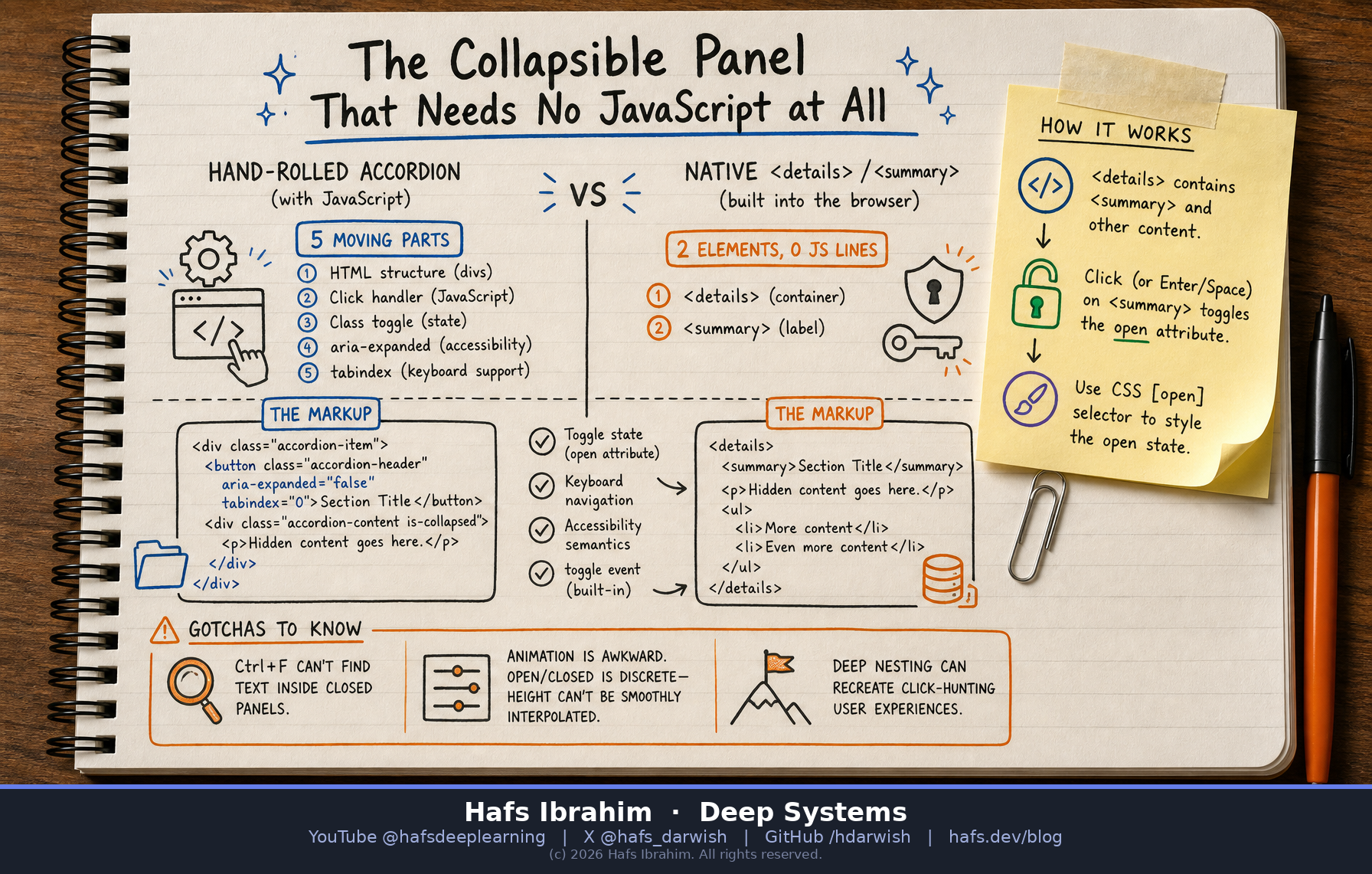
The Collapsible Panel That Needs No JavaScript at All
The browser has a built-in disclosure widget that replaces your hand-rolled accordion — toggle state, keyboard navigation, accessibility semantics, and a CSS hook, all with zero JavaScript.
The <details> element and its <summary> child form a native HTML disclosure widget. The browser handles the toggle, exposes an open boolean attribute you can read, set, and style against, fires a toggle event, and provides correct keyboard and screen-reader semantics — all without a single line of JavaScript or any external library.
<details>
Container element. Everything inside except <summary> is hidden content.
<summary>
The always-visible clickable label that toggles the panel open or closed.
open attribute
Boolean attribute on <details> — present when expanded, absent when collapsed.
CSS [open] selector
Target details[open] to style the expanded state without JS class toggling.
Write the markup
Wrap your hidden content in <details> and put a <summary> as the first child — that is the label users click.
Browser provides the toggle
Click or press Enter/Space on the summary — the browser adds or removes the open attribute automatically.
Style with CSS only
Use details[open] to rotate a caret, change colors, or animate. The disclosure marker is styleable with ::marker or list-style.
React if needed
The toggle event fires after state change — listen only when you actually need side-effects like analytics.
Hand-Rolled Accordion
- A container <div>
- A click handler in JS
- A CSS class toggle
- Manual aria-expanded
- tabindex management
- ~15-30 lines of code
Native <details>
- Two HTML elements
- Zero JS required
- Built-in ARIA role
- Keyboard for free
- toggle event if needed
- 0 lines of JS
FAQ Sections
Stack multiple <details> elements — each is independent, no "accordion group" logic needed.
Settings Panels
Group advanced options in a collapsible section that starts closed, keeping the default view clean.
Documentation & Changelogs
Hide verbose release notes or API details behind a summary so the page stays scannable.
Spoilers & Hints
Wrap solutions or answers — users opt in to reveal, no framework dependency.
⚠️ Gotchas
- Ctrl+F blind spot: Historically, browsers could not search inside closed <details> panels. Modern Chrome now auto-opens them on find — but not all browsers do.
- Animation is awkward: The element toggles between two discrete states. You cannot smoothly interpolate height like a max-height transition. CSS
interpolate-sizeis in progress but not universally available. - Deep nesting defeats the purpose: Nesting <details> inside <details> three levels deep recreates exactly the click-hunting interface you were trying to eliminate.
🧠 Checkpoint — answer before you move on
- What five things does a hand-rolled accordion need that <details>/<summary> gives you for free? Think: container, handler, toggle, ARIA, keyboard.
- How do you style the expanded state of a <details> element in CSS without any JavaScript? Look for the attribute selector the browser sets.
- Name one real limitation of <details>/<summary> that means it does not fully replace every accordion use case. Try pressing Ctrl+F for a word inside a closed panel.